
MO-200: the Microsoft Excel Associate exam, honestly described
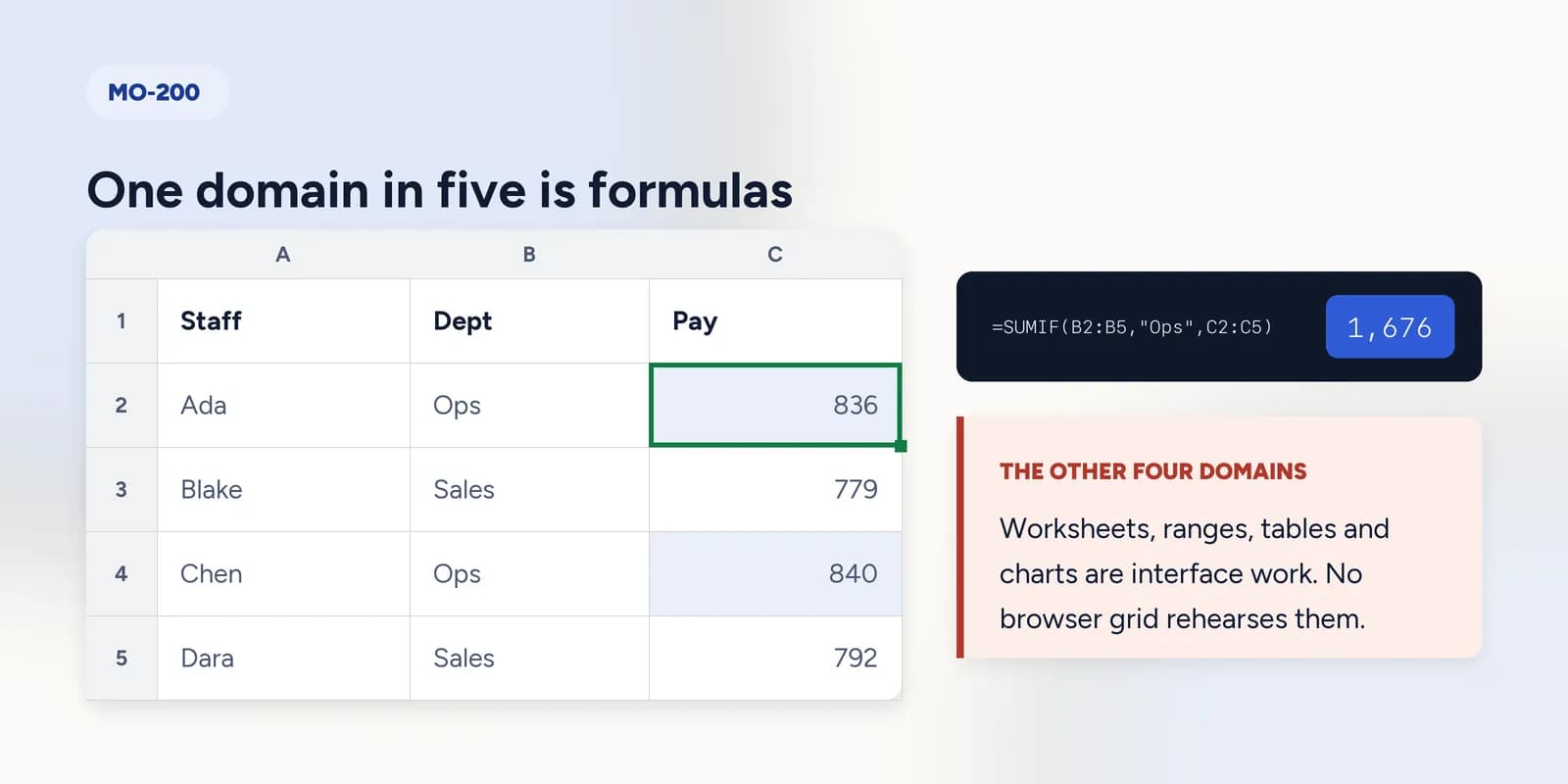
MO-200 is the Microsoft Office Specialist: Excel Associate certification, a performance-based exam in which tasks are completed inside Excel rather than answered as multiple choice. Microsoft publishes the skills measured in five areas: managing worksheets and workbooks, managing data cells and ranges, managing tables and table data, performing operations with formulas and functions, and managing charts. Only one of those five is formulas, which is worth knowing before choosing how to revise.

MO-200 is the associate-level Microsoft Office Specialist certification for Excel. It is a real credential with a real exam fee, sat at a test centre or under online proctoring, and it is performance-based: you are given project files and asked to make changes in them, rather than being asked which of four answers is correct.
That format is the most important thing about it. A performance exam rewards knowing where things are and doing them quickly, which is a different kind of preparation from the formula drilling most Excel practice sites offer, including this one.
Microsoft publishes a skills-measured document for the exam and revises it when the exam changes. That document is the syllabus; nothing else is. What follows is how to read it and where practice in a browser helps.
The five areas the exam covers
Microsoft groups the skills into five domains. The wording below follows that grouping; for the current weightings and the detailed sub-points, download the skills-measured PDF from Microsoft's own exam page, because the percentages move between revisions.
- Manage worksheets and workbooks. Importing data, navigating, formatting worksheets, customising options and views, and preparing a workbook for distribution.
- Manage data cells and ranges. Pasting, filling, formatting, applying number formats, conditional formatting, and defining named ranges.
- Manage tables and table data. Creating tables from ranges, styling them, adding and removing rows and columns, and sorting and filtering.
- Perform operations by using formulas and functions. References, ranges, and the function families: SUM, AVERAGE, MAX, MIN, COUNT, IF, SUMIF, COUNTIF, AVERAGEIF, plus text functions and basic formatting of results.
- Manage charts. Creating charts, modifying them, and formatting them.
The formulas domain, which you can practise in a browser
The function list in the formulas domain is almost exactly the function list this site is built around, and references, the part candidates lose marks on, are drilled across a dozen exercises.
| A | B | C | D | E | |
|---|---|---|---|---|---|
| 1 | Staff | Dept | Hours | Rate | Pay |
| 2 | Ada | Ops | 38 | 22 | 836 |
| 3 | Blake | Sales | 41 | 19 | 779 |
| 4 | Chen | Ops | 35 | 24 | 840 |
| 5 | Dara | Sales | 44 | 18 | 792 |
| 6 | |||||
| 7 | Total pay | 3247 | |||
| 8 | Ops pay | 1676 | |||
| 9 | Over 40 hours | 2 |
=SUMIF(B2:B5, "Ops", E2:E5)Returns 1676. The Ops total. An exam task phrases it as a sentence rather than a formula, which is the part worth rehearsing: turning in cell E8, total the pay for the Ops department into something a spreadsheet can execute.
- Relative, absolute and mixed references, and what each becomes when a formula is copied. The most reliable source of lost marks in the whole domain.
- SUM, AVERAGE, MAX, MIN, COUNT and COUNTA, including how each treats a blank cell.
- IF, and where the boundary sits.
- SUMIF, COUNTIF and AVERAGEIF, including criteria written as text with the operator inside the quotes.
- Text functions: LEFT, RIGHT, MID, LEN, CONCAT, TRIM and UPPER, LOWER, PROPER.
The exercise to do first, for the same reason it is first in every list on this site.
Lock a reference with dollar signs
One rate in one cell, used by every row. Without $ the formula falls apart the moment you copy it. · 5 min · Free account
The four domains that need Excel itself
There is no honest way to prepare for these in a browser grid. The grid here has no ribbon, no right-click menus, no multiple worksheets, no named ranges, no conditional formatting rules engine and no Excel chart tools, and those absences are deliberate rather than unfinished: the thinking transfers between spreadsheet programs and the menus do not.
- 1Get a copy of Excel. The free web version covers a good deal of the interface, and a Microsoft 365 trial covers the rest.
- 2Work through Microsoft's skills-measured document as a checklist, doing each sub-point once in a real workbook rather than reading it.
- 3Practise the tasks that are pure navigation under time pressure: freeze panes, named ranges, custom views, headers and footers, print areas. These are quick marks and they are lost to hesitation rather than ignorance.
- 4Build one chart of each type the document names, and format it. Chart questions are formulaic once you have done them once.
- 5Then come back and drill the formulas, which is the part that benefits from repetition rather than from exploration.
MO-200 or MO-201
- MO-200, Excel Associate, is the one to take first. It certifies competent everyday use: tables, formatting, the common functions, charts.
- MO-201, Excel Expert, builds on it with workbook options, advanced formulas, macros, advanced charts and PivotTables.
- Neither is a prerequisite for the other on paper, and taking Expert without Associate is a decision about money rather than about capability.
For most jobs the Associate is the one worth having. It is the level at which a certificate says something an employer can use, and it is achievable in a few evenings of deliberate work rather than a few months.
What goes wrong
These are the four mistakes that come up again and again. Each one is reasonable. That is why people make it.
Revising MO-200 entirely through formula practice.
WhyFormulas are what online Excel practice offers, so that is what preparation looks like from the outside.
InsteadFour of the five domains are interface work. Spend most of the time inside Excel with the skills-measured document open as a checklist, and use formula drilling for the one domain it fits.
Reading the syllabus instead of performing it.
WhyThe document is well organised and reads quickly.
InsteadIt is a performance exam. Do each sub-point once in a real workbook. Twenty minutes of clicking beats an hour of reading about clicking, and you will discover which items you cannot actually find.
Trusting a third-party page for the exam's current contents.
WhyEvery such page sounds authoritative, and several rank well.
InsteadMicrosoft revises the skills measured and republishes the document. Download it from the official exam page each time you prepare, and treat anything else, including this page, as commentary on it.
Leaving references until last because they look elementary.
WhyDollar signs are punctuation and punctuation feels like detail.
InsteadA task that says fill this formula across the row is a reference question wearing a disguise, and it appears in the formulas domain of every version of this exam.
Common questions
What is the MO-200 exam?
The Microsoft Office Specialist: Excel Associate certification exam. It is performance-based: candidates are given project files and asked to complete tasks inside Excel, rather than answering multiple-choice questions about it.
Is MO-200 hard?
Not conceptually. It covers competent everyday Excel rather than anything exotic. What catches people is the breadth and the clock: five domains of practical tasks, and most of the marks lost go to hesitation about where a command lives rather than to not knowing what it does.
How long is the MO-200 exam?
Around fifty minutes, though Microsoft sets the current duration and it is worth confirming on the official exam page when you book rather than taking a third-party figure.
Can I prepare for MO-200 for free?
Partly. Microsoft's skills-measured document is free, the free web version of Excel covers much of the interface, and the formulas domain can be drilled in a browser. The official practice tests are paid, and for a performance exam they are the part most worth paying for.
What is the difference between MO-200 and MO-201?
MO-200 is Excel Associate, covering competent everyday use. MO-201 is Excel Expert, adding workbook options, advanced formulas, macros, advanced charts and PivotTables. Associate first, for most people.