
Basic formulas, and the order Excel does them in
An Excel formula starts with an equals sign and uses +, -, * and / to combine cell references. Excel does multiplication and division before addition and subtraction regardless of the order you typed them, so =B2+C2*0.2 adds only the VAT, not the VAT on the total. Brackets force the order you meant: =(B2+C2)*0.2.

Everything in this part is arithmetic you already know. What is new is that the numbers are somewhere else: a formula points at cells and works out the answer from whatever is in them at the time, which is what makes a spreadsheet different from a calculator.
Two things in here catch almost everybody. Excel has no SUBTRACT function, which is a surprise to anybody who has just learned SUM. And Excel applies the ordinary rules of precedence whether or not you were thinking about them, which produces answers that are wrong in a way that looks entirely plausible.
The four operators, and the missing fifth
Excel uses + for addition, - for subtraction, * for multiplication and / for division. There is no SUBTRACT function and no DIVIDE function, which surprises people who meet SUM first and reasonably assume there is a named function for each operation. There is not: SUM exists because adding up a long range is awkward with plus signs, and subtraction almost never needs that.
=B4-B3Subtraction is the minus sign and nothing else. 480 less 35.
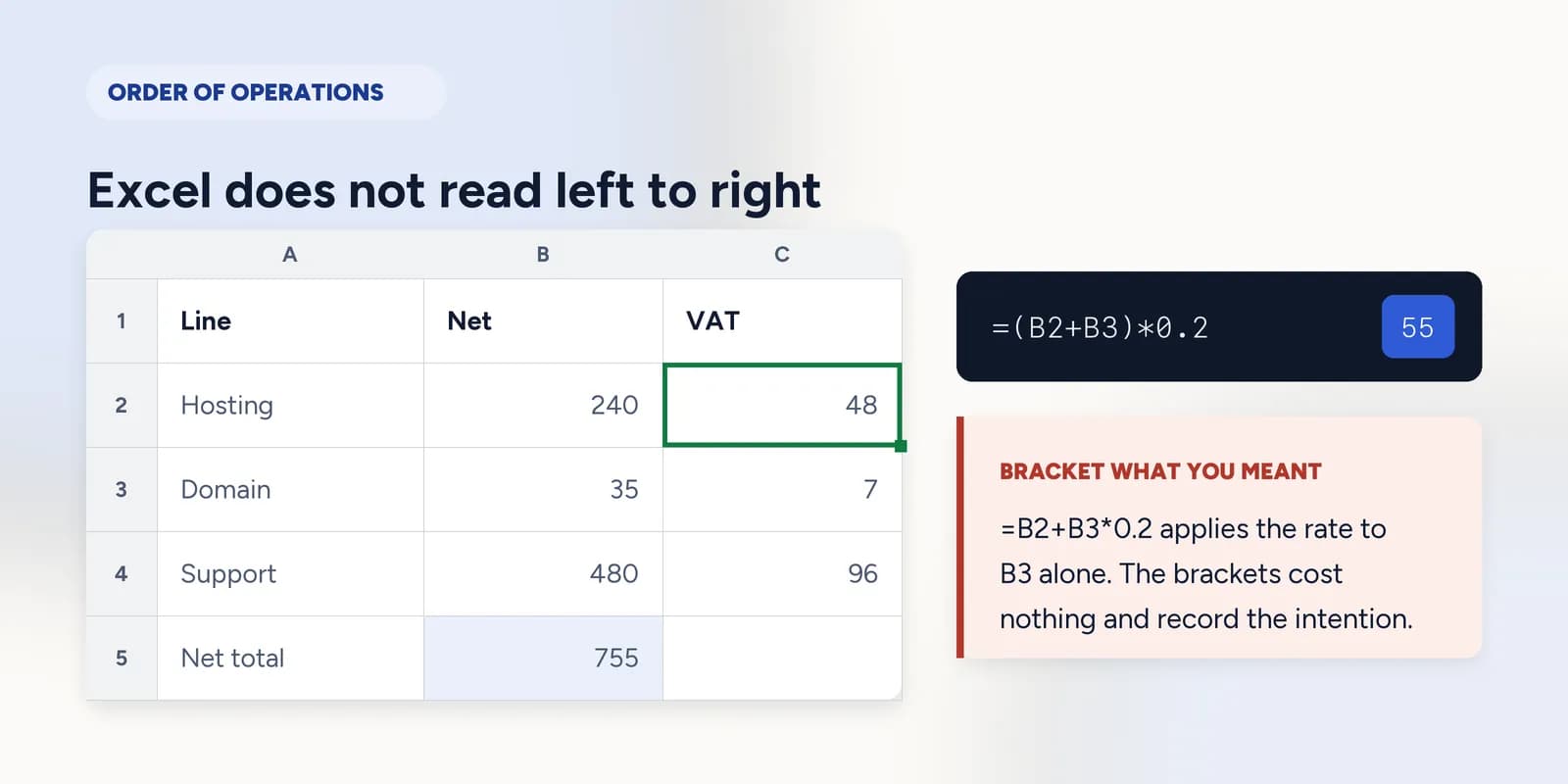
Excel does not read left to right
Excel evaluates multiplication and division before addition and subtraction, exactly as school arithmetic does, and it does so regardless of the order you typed things in. This is the single most common source of a formula that returns a believable wrong answer.
=B2+B3*0.2Read left to right this looks like twenty per cent of the two lines added together. It is not: the 0.2 applies to B3 alone, and B2 is added afterwards.
=(B2+B3)*0.2Brackets force the addition first. This is the figure the first formula looked like it was giving.
The gap between those two answers is large enough to notice here. On a real invoice with a dozen lines it is not, which is why the habit worth forming is bracketing the thing you meant even when precedence already happens to be on your side. The brackets cost nothing and they document the intention.
What goes wrong
These are the mistakes this part exists to prevent. Each one is reasonable, which is why people make it and why nothing on the sheet objects.
Looking for a SUBTRACT function
WhySUM exists, so a matching function for every operator is a reasonable guess, and the search results are full of people asking the same thing.
InsteadUse the minus sign: =B4-B3. The only named arithmetic functions you need are SUM and PRODUCT, and PRODUCT is rarely worth it over *.
Relying on left-to-right reading
WhyThe formula reads like a sentence and sentences run left to right. Nothing in the cell hints that part of it was evaluated first.
InsteadBracket what you meant to happen first, every time, even when the precedence rules would have done it anyway.
Dividing the total by the part
WhyBoth numbers are right there and either order produces a number. One of them is 0.31 and the other is 3.2, and neither looks obviously wrong on its own.
InsteadPart over whole. Sanity-check it: a share of a total must land between 0 and 1 before formatting.
Common questions
How do I subtract in Excel?
With the minus sign: =B4-B3. There is no SUBTRACT function. For subtracting several cells from a total, =SUM(B2:B4)-SUM(C2:C4) is the usual form.
What is the order of operations in Excel?
Brackets first, then exponents, then multiplication and division left to right, then addition and subtraction left to right. The same rules as school arithmetic, applied whether or not you intended them.
How do I calculate a percentage in Excel?
Divide the part by the whole: =B2/B5. That gives a decimal such as 0.31. Formatting the cell as a percentage displays it as 31% without changing the stored value.
Why does my formula show the formula instead of the answer?
Either the cell is formatted as text, or the formula does not begin with an equals sign. Change the format to General and retype it, or add the missing equals sign at the front.