
Learn Excel
in a real
spreadsheet.
Open a working spreadsheet in your browser and learn Excel one step at a time. From your first cell to formulas, charts and data, every lesson gives you a real task and clear feedback.
Exercise 18 of 84
In B9, use SUM to total the six weekly figures in B2 to B7.
| A | B | C | D | |
|---|---|---|---|---|
| 1 | Week | Sales | ||
| 2 | Week 1 | 1480 | ||
| 3 | Week 2 | 1225 | ||
| 4 | Week 3 | 1610 | ||
| 5 | Week 4 | 940 | ||
| 6 | Week 5 | 1375 | ||
| 7 | Week 6 | 1180 | ||
| 8 | ||||
| 9 | Total | 7810 |
Correct. It used SUM over the range, not a typed total.
 Microsoft Excel
 Google Sheets
 Apple Numbers
Why learn here
Watching will not teach you Excel. Typing will.
84 exercises in a spreadsheet that works. Read the task, write the formula, find out whether the method was right.
Marked on method, not just the answer
Type the right total into a SUM exercise by hand and it is marked wrong, because the checker reads the formula in the cell.
Told what you got wrong, and why
Each likely mistake has an explanation written for it by a person. Nothing is generated on the spot with a note saying it may be wrong.
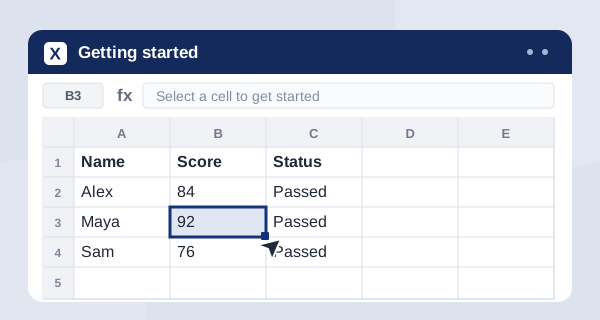
Starts at clicking a cell
The first exercise is finding one square and typing in it. The first formula is handed to you in full before you are asked to write one.
Finishes with something to show
Progress follows your account across machines, and the whole course earns a certificate with a link anybody can check.
In their words
What people are saying.
ExcelForAll is excellent. I recommend it, and we use it inside our teams and on client rollouts.
Really happy with it, and I recommend it.
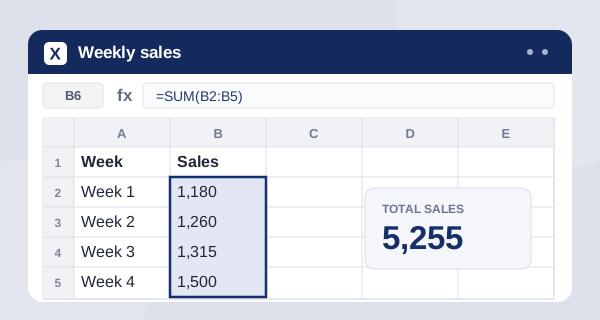
Add the four weeks of sales
Enter a SUM formula in B6, then check your work.
Hint: a range from B2 to B5 is written B2:B5.
Try the real thing
Learn it. Type it. Watch it work.
This is the same spreadsheet engine used in the course. Write a SUM formula on the left, then change a number to see why formulas matter.
See the learning pathExplore the course
Pick a skill. Open a sheet. Make progress.
Follow the course in order or jump to the part you need today.
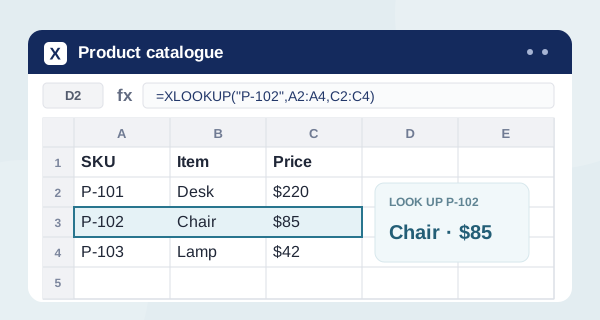
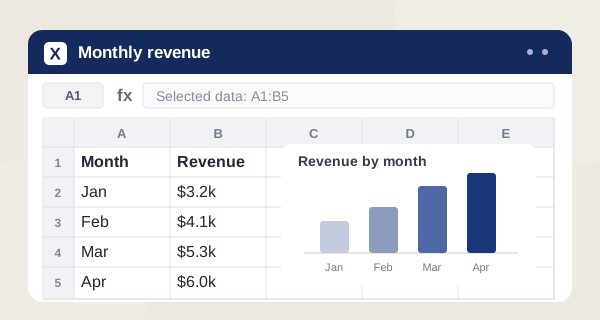
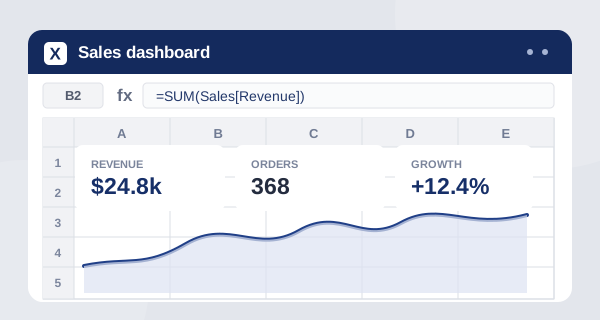
46 exercises are free with an account. Later parts require a plan.
View all 17 partsLearning that feels useful
Excel starts making sense when you use it.
From simple formulas to reports and charts, every lesson asks you to do the work in a sheet. Small wins build into skills you can take to your next task.

“ExcelForAll is excellent. I recommend it, and we use it inside our teams and on client rollouts.”
 Mike
Certificate of completion
A record of the work you put in.
Finish the course and claim a certificate in your name. It records your completed exercises and includes a public link anyone can use to verify it. There is no separate certificate fee.
View the certificateFrequently asked questions
Got questions? We have answers.
Do I need Microsoft Excel to use this?
No, and you do not need to download anything. The spreadsheet runs in your browser and behaves the way Excel does: you click a cell, type a formula, press Enter and it calculates.
Is it really free?
19 exercises need no account and no card, including the practice tasks linked from our guides. A free account takes that to 46 of the 84 and keeps your progress across machines. Most later parts, from lookups onwards, need a paid plan. Every written guide on the site is free to everybody.
How long does the whole course take?
About 7 hours of actual work, spread over as long as you like. Individual exercises run from two to eight minutes, which is the point: it is built to be done in the gaps rather than in one sitting.
I have never used a spreadsheet. Is this too advanced?
It starts further back than most courses. The first exercise is clicking one cell and typing in it, the second is working out what that cell is called, and the first formula is printed in full for you to copy before anybody asks you to write one.
Does it work for Google Sheets?
Mostly yes. Formulas, ranges, references and the functions taught here work the same way in Google Sheets and in Apple Numbers. The keyboard shortcuts and a few menu names differ, and where that matters the exercise says so.
Can I skip ahead to the part I need?
Yes. The course has a teaching order, but every part and every exercise has its own page and you can open any of them directly. The skill pages group exercises by function if you came looking for VLOOKUP and nothing else.
What happens when I get an answer wrong?
You get told what went wrong, not just that something did. Each likely mistake has an explanation written for it in advance, so a formula pointing at the wrong range is named as that rather than marked incorrect. Hints come out one at a time, and the worked answer is there if you run out.
Does it work on a phone?
The site does, and the reading does. The exercises are honestly better on a keyboard: much of what you are learning is typing formulas and using shortcuts, and a touchscreen makes that harder than it needs to be.
Is there a certificate?
Yes, once all 84 exercises are finished, in your name, with a link anybody can open to check it. It records practice completed here. It is not an accredited qualification and it does not come from Microsoft.
How you will learn
Learn Excel by using it.
Short tasks in a working spreadsheet, with feedback that helps you improve.
Try it yourself
A video can make a formula look easy. It starts to stick when you type it, see what happens, and fix what went wrong. Every exercise gives you a clear task in a spreadsheet you can use.
Know why an answer is right
In a SUM exercise, typing the right number is not enough. The checker reads your formula and can spot a missing row or the wrong range. You get a clear explanation of the mistake and what to try next.
Build from the first cell
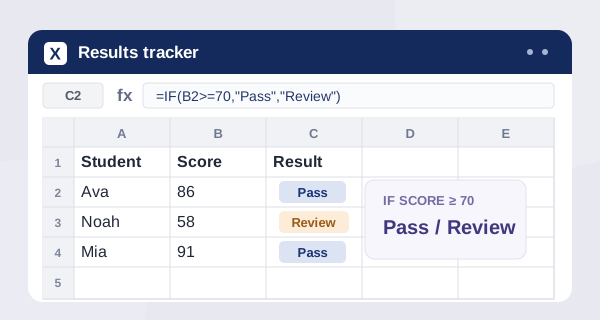
Start by selecting a cell. Then work through formulas, IF, lookups, charts, pivot tables and practical challenges. Each exercise takes about two to eight minutes, so it is easy to practise around your day.
Try 19 exercises without an account or card, including the examples linked from our guides. A free account gives you 46 of 84 exercises and saves your progress across devices. Later parts require a plan; written guides are open to everyone.
Start with one cell
See what you can do in two minutes.
Open the first exercise. No account needed.