
The Indeed Excel assessment, and how to be ready for it
Indeed's Excel assessments are short skills tests attached to job applications, usually a set of multiple-choice and scenario questions taken in about ten to thirty minutes rather than inside a live copy of Excel. The result is reported to employers as a proficiency band, not a percentage, and the ground they cover is ordinary working Excel: totals and averages, references that survive copying, IF, conditional counts and totals, lookups and basic text cleaning.

An Indeed Excel assessment arrives as part of an application rather than as something you sign up for. You get a short test, you cannot usually retake it immediately, and the score follows the application to the employer. That combination is why people look for practice beforehand, and it is a reasonable thing to want.
Two honest warnings before anything else. Indeed owns the format and changes it, so treat any page claiming an exact question count, including this one if it ever acquires such a claim, with suspicion and check Indeed's own help pages for what the test is today. And nobody can give you the answers: the question banks are not published, and a page offering them is either guessing or describing a test that no longer exists.
What does transfer is the Excel itself. The skills these assessments are assembled from are stable even when the questions are not, and they are the same skills a hiring manager will expect on day one.
What the assessment actually is
- It is attached to a job application. Employers choose which assessments to add, so two applications for similar roles can ask for different ones.
- Indeed runs several Excel-related tests of differing depth, from basic spreadsheet handling up to more advanced formula work. The one you are sent depends on the employer, not on you.
- The questions are mostly multiple choice and short scenarios rather than tasks inside a working copy of Excel, so part of what is being measured is whether you can read a formula and predict what it returns.
- Results are reported as a proficiency band rather than a mark out of a hundred, and the band is visible to employers you apply to.
- There is a time limit, and it is short. Most people who run out of time do so on the questions that require reading a nested formula carefully.
The Excel it is built out of
Strip the format away and what is left is a short list of skills that turns up in every spreadsheet test ever set, because it is the list that turns up in every spreadsheet job.
- Totals and averages over a range, and knowing that AVERAGE skips a blank cell but counts a zero.
- References that survive being copied. A shared rate locked with dollar signs is the single most tested idea in the whole category.
- IF, including where the boundary sits. A question that hinges on > against >= is a favourite, because it separates people who read the requirement from people who recognised the function.
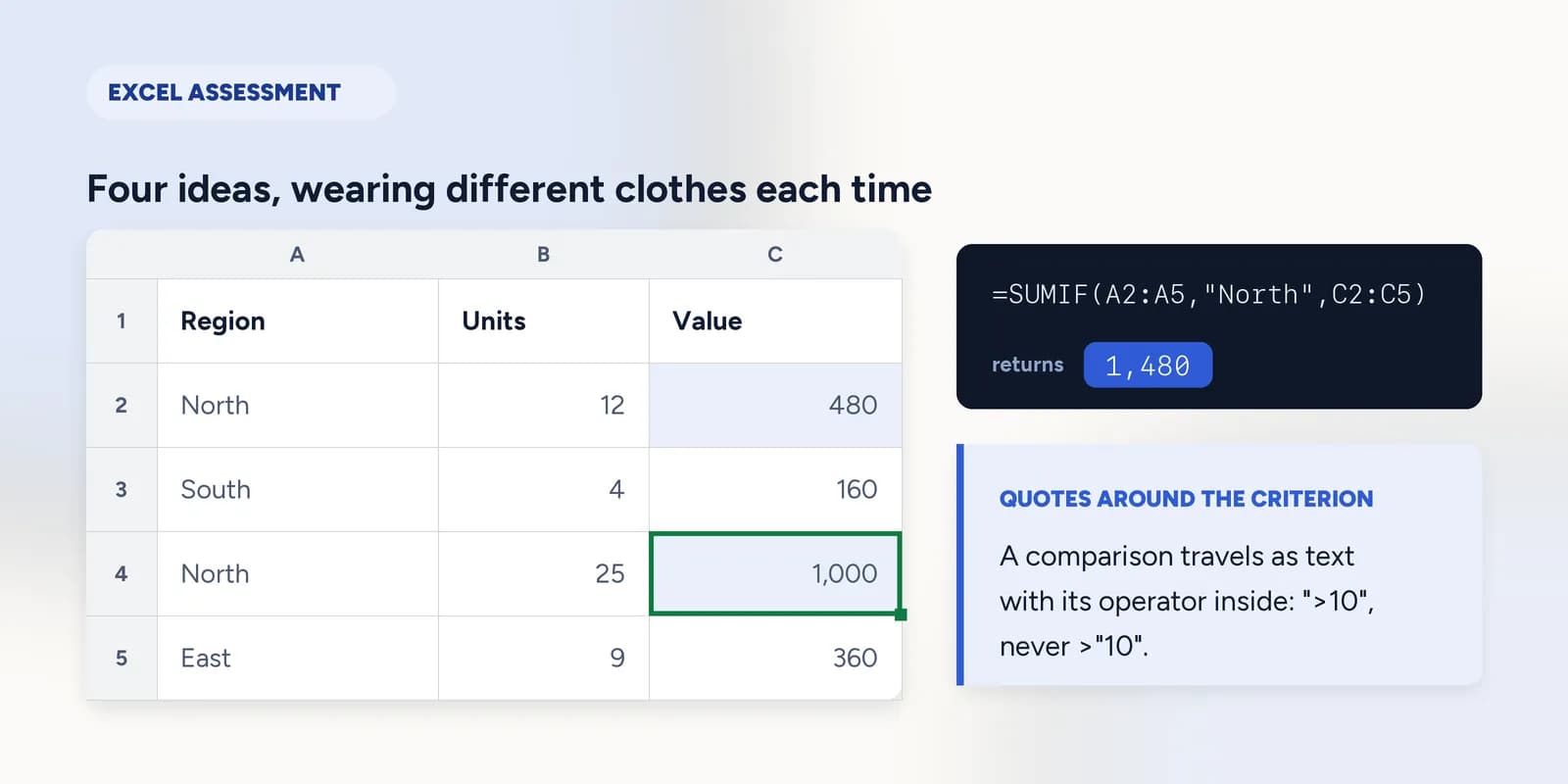
- COUNTIF and SUMIF, and the fact that a comparison criterion is written as text with the operator inside the quotes.
- VLOOKUP or XLOOKUP, and why a lookup returns #N/A when the value is plainly in the table.
- Reading an error value. #REF!, #VALUE! and #N/A each mean something specific, and being able to say which is a question in its own right.
- Cleaning imported text with TRIM, which is the other half of the lookup question.
| A | B | C | |
|---|---|---|---|
| 1 | Region | Units | Value |
| 2 | North | 12 | 480 |
| 3 | South | 4 | 160 |
| 4 | North | 25 | 1000 |
| 5 | East | 9 | 360 |
| 6 | |||
| 7 | North total | 1480 | |
| 8 | Orders over 10 units | 2 |
=COUNTIF(B2:B5, ">10")Returns 2. The operator lives inside the quotes. Written as COUNTIF(B2:B5, >10) it is not a formula at all, and that distinction is exactly the sort of thing a multiple-choice question is made of.
How to prepare in an evening
Reading a list of functions produces recognition, and these tests measure recall. The difference shows up under a timer. The useful preparation is to write the formulas, wrongly at first, and find out what each mistake looks like.
- 1Work through the ten-question practice test on this site, in a real grid, without looking anything up. Note which ones you had to think about rather than which ones you got wrong.
- 2Go back to each of those and do the underlying exercise properly, so the method is the thing you remember rather than the answer.
- 3Deliberately cause the three errors. Break a VLOOKUP into #N/A, point one past the edge of its table for #REF!, and add text to a number for #VALUE!. Recognising an error on sight is worth a question on its own.
- 4Test the boundaries. Write an IF with > and then with >=, on a row that sits exactly on the threshold, and watch the answer change.
- 5Last, run the practice test again under a timer you set yourself. Forty-five minutes for the ten is generous; the point is to get used to deciding quickly.
If you only have time for one, make it this one. Absolute references are the most tested idea in the category and the one most people have never consciously learned.
Lock a reference with dollar signs
One rate in one cell, used by every row. Without $ the formula falls apart the moment you copy it. · 5 min · Free account
And then this one, which is the lookup question as it is actually asked: the formula looks right, the value is in the table, and the answer is #N/A.
A real formula, genuinely broken, showing #REF!. Work out what the error is telling you and repair it. · 6 min · Paid plan
What practising here will not cover
The grid on this site is a formula engine, not a copy of Excel. It is worth being plain about the gap rather than letting you find it during a test.
- No ribbon, no menus and no dialog boxes, so a question about where a command lives is not something you can rehearse here.
- No multiple worksheets, so cross-sheet references are not covered.
- No macros, no Power Query and no conditional formatting rules engine.
- Charts are built from a small panel rather than Excel's chart tools, so the ideas transfer and the clicks do not.
What goes wrong
These are the four mistakes that come up again and again. Each one is reasonable. That is why people make it.
Looking for the answer key rather than practising.
WhyThe tests are short and the temptation is obvious.
InsteadThe banks are not published, and a leaked set describes a version of the test that has since changed. The skills do not change, so practise those. The score also follows you into a job where the skill is the thing that gets used.
Revising by reading a list of functions.
WhyIt feels efficient, and a list can be got through in ten minutes.
InsteadReading produces recognition; a timed test demands recall. Write the formulas, get them wrong, see the error. Half an hour of that beats three hours of reading.
Skipping absolute references because they look like a detail.
WhyDollar signs are punctuation, and punctuation reads as cosmetic.
InsteadIt is the most commonly tested single idea in spreadsheet assessments, because it is the one that separates a formula that works once from a formula that works in a column.
Ignoring the error values.
WhyThey look like failures to be avoided rather than content to be learned.
InsteadWhat does #REF! mean is a question, not an accident. Cause each error on purpose once and you will never have to think about it again.
Common questions
How hard is the Indeed Excel assessment?
For anybody who uses Excel regularly, not very: the ground is totals, references, IF, conditional counts and a lookup. The difficulty is the time limit and the fact that several questions ask you to read a formula and predict its result rather than to write one, which is a different skill from everyday use.
Can I retake an Indeed assessment?
Indeed's own help pages set the rules, and they have changed more than once, so check there rather than trusting a third-party page. Assume you get one attempt that matters and prepare accordingly.
What score do I need to pass?
There is no single pass mark. Results come back as a proficiency band, and each employer decides what band it wants for a given role. Aiming for a band rather than a number is the right way to think about it.
What is the most common question on an Excel assessment?
Something that depends on an absolute reference, or a VLOOKUP that fails for a reason the question expects you to identify. Between them those two ideas cover a surprising share of every Excel test set anywhere.
Is there a free practice test?
Yes. The ten-question assessment on this site runs in a working spreadsheet with no account and no payment, and the checker reads the formula you wrote rather than only the number it produced.